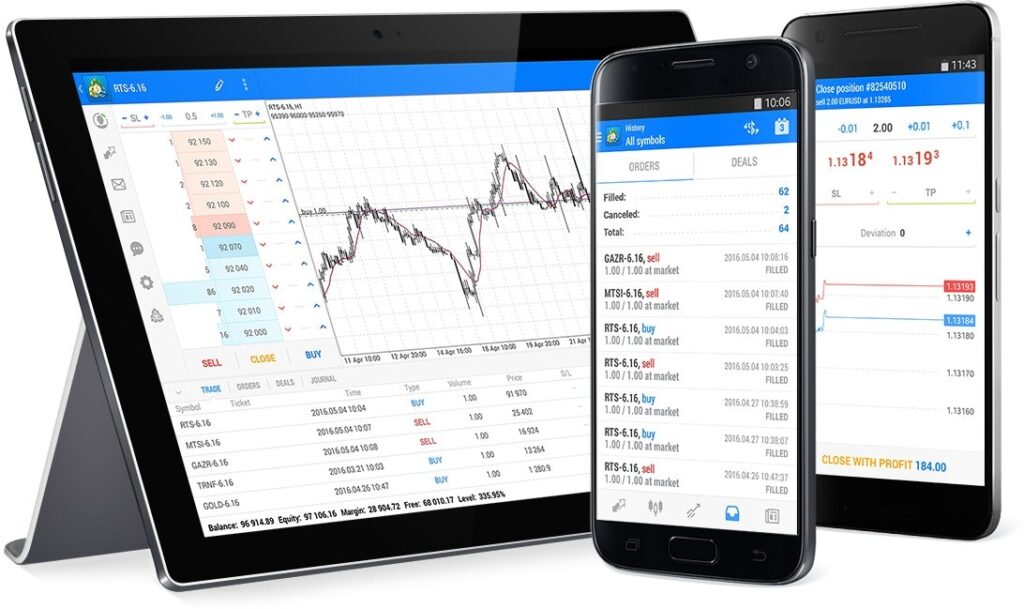
This guide covers downloading MT5, setting up your account, analyzing gold charts, placing trades, and using risk management tools.
📥 Step 1: Download & Install MT5
- Choose a Broker (Regulated & MT5-supported):
- Recommended brokers: IC Markets, Pepperstone, FXTM, XM.
- Visit their website and open a live or demo account.
- Download MT5:
- Go to your broker’s website → “Platforms” → Download MT5 (Desktop/Mobile).
- Or get it from the official MetaQuotes website.
- Install & Launch MT5:
- Run the installer and follow the setup steps.
- Open MT5 after installation.
🔑 Step 2: Log In to Your Account
- Open MT5 → Click “File” → “Login to Trade Account”.
- Enter:
- Broker’s Server (e.g., “ICMarkets-MT5”).
- Login & Password (from your broker email).
- Demo vs. Live? Start with a demo account to practice.
- Click “OK” → You’re now connected!
📊 Step 3: Find Gold (XAU/USD) in MT5
- Open “Market Watch”:
- Press
Ctrl+M(or go to “View” → “Market Watch”). - Right-click → “Symbols” (or “Show All Symbols”).
- Press
- Search for XAU/USD:
- Scroll or type “XAU” in the search bar.
- Double-click “XAU/USD” to add it to your Market Watch.
- Open a Gold Chart:
- Drag XAU/USD from Market Watch to the chart area.
- Or right-click → “Chart Window”.
⚙️ Step 4: Customize Your Gold Trading Chart
A. Timeframes
- Right-click chart → “Timeframes” → Choose (e.g., M15, H1, D1).
- MT5 offers 21 timeframes (vs. 9 in MT4).
B. Indicators & Tools
- Click “Insert” → “Indicators” → Choose:
- Trend: Moving Averages, Bollinger Bands.
- Oscillators: RSI, MACD.
- Drawing Tools: Support/Resistance lines, Fibonacci.
C. Template Saving (Optional)
- Adjust chart colors, indicators → Right-click → “Template” → “Save Template”.
💰 Step 5: Place a Gold Trade (Buy/Sell XAU/USD)
A. Market Order (Instant Execution)
- Right-click on the chart → “Trading” → “New Order” (or press
F9). - Set:
- Symbol: XAU/USD
- Volume (Lot Size): 0.01 (micro), 0.1 (mini), 1.0 (standard)
- Stop Loss (SL) & Take Profit (TP) (optional but recommended).
- Click “Buy” (Long) or “Sell” (Short).
B. Pending Order (Limit/Stop Entry)
- In the “Order” window, select “Pending Order”.
- Choose:
- Buy Limit (Buy below current price).
- Sell Limit (Sell above current price).
- Buy Stop (Buy above current price).
- Sell Stop (Sell below current price).
- Set Entry Price, SL, TP → Click “Place”.
🛡️ Step 6: Manage Your Gold Trades
A. Modify/Close Orders
- Go to “Toolbox” → “Trade” tab.
- Right-click on an open trade → “Modify or Delete Order”.
B. Trailing Stop (Auto-Adjusting SL)
- Right-click trade → “Trailing Stop” → Choose distance (e.g., 50 pips).
- MT5 will move SL as price moves in your favor.
C. Set Alerts
- Right-click chart → “Alert” → Set price level for notifications.
📈 Step 7: Analyze Gold Trends Like a Pro
A. Technical Analysis
- Use Moving Averages (MA 50/200) for trend direction.
- Check RSI (Overbought/Oversold) for reversals.
- Draw Support/Resistance zones.
B. Fundamental Analysis
- Watch economic news (MT5 has a built-in calendar).
- Key gold price drivers: USD strength, Fed rates, inflation data.
📱 Step 8: Trade Gold on Mobile (MT5 App)
- Download MT5 from App Store (iOS) or Google Play (Android).
- Log in with the same account credentials.
- Trade XAU/USD with the same features (charts, orders, indicators).
⚠️ Important Gold Trading Tips
✔ Use Stop-Loss Always (Gold can be volatile!).
✔ Avoid over-leveraging (1:10–1:50 is safer for beginners).
✔ Trade during peak hours (London/NY sessions for liquidity).
✔ Follow gold news (CPI, Fed meetings, geopolitical risks).
🚀 Final Step: Start Trading!
Now you’re ready to trade gold (XAU/USD) on MT5 like a pro. Practice on a demo account first, then go live when confident.